get started with heymybiz in minutes
from your first customer enquiry to your next follow-up, here’s how to use heymybiz to keep track of jobs, stay organised and make the most of very opportunity.
first things first - add HeyMyBiz to Your Home Screen
Use HeyMyBiz straight from your phone's home screen — just like an app. No app store download required.
On iPhone (Safari)
Open HeyMyBiz in Safari at app.heymybiz.com
Tap the Share button.
Scroll down and select Add to Home Screen.
Tap Add.
On Android (Chrome)
Open HeyMyBiz in Chrome.
Tap the three-dot menu.
Select Add to Home screen (or Install app, if offered).
Follow the prompts.
You'll now have a HeyMyBiz icon on your home screen for quick and easy access.
That's it! HeyMyBiz is now just one tap away whenever you need it.
1. Add Your First Job
Got a new customer enquiry? Add it to HeyMyBiz in seconds.
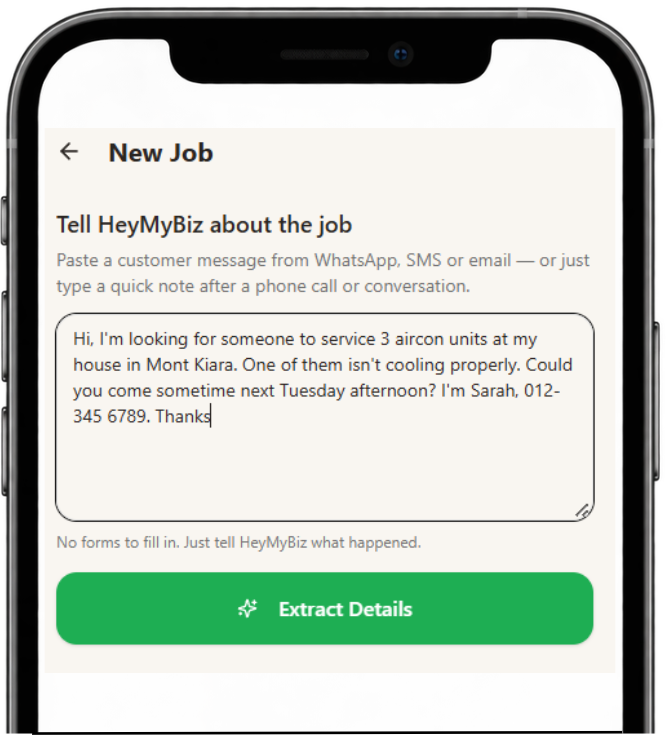
Open HeyMyBiz and tap New Job.
Copy and paste the customer's message from WhatsApp, SMS or email. You can also type the details yourself.
Tap Extract Details and HeyMyBiz will pick out useful information such as the customer's name, phone number, job description, location and timing.
Review the details, make any changes and save your job.
That's it! Your enquiry is now organised in one place, ready for you to track and follow up.
2. Set and Manage Follow-ups
Never lose track of a potential job because you forgot to follow up.
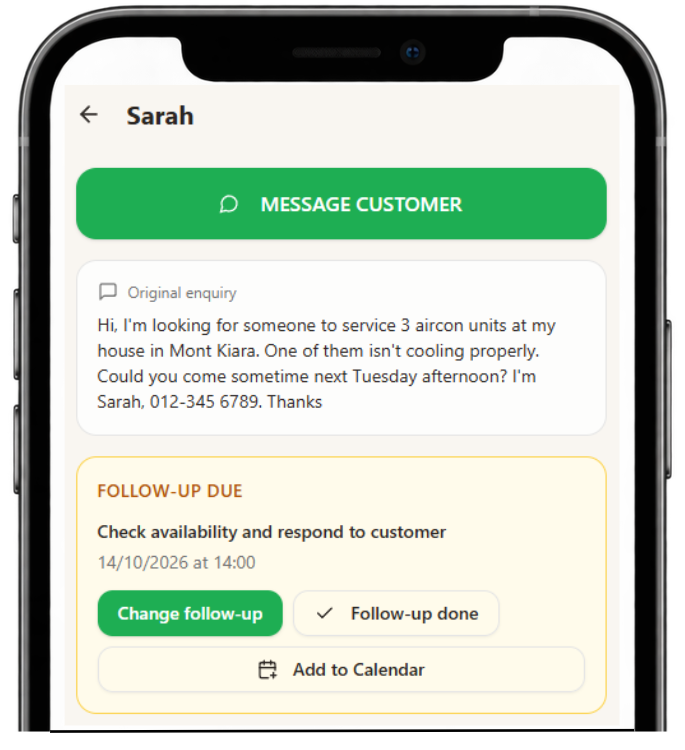
When creating a job, HeyMyBiz can suggest a follow-up date based on the customer's enquiry.
Review the suggested date and change it if necessary.
On the Job Detail page, tap Change follow-up whenever you need to reschedule.
When you've followed up, tap Follow-up done to record the outcome or schedule another follow-up.
Follow-ups that need attention are highlighted, so you can see what's due and what's overdue.
3. Stay on Top of Your Jobs
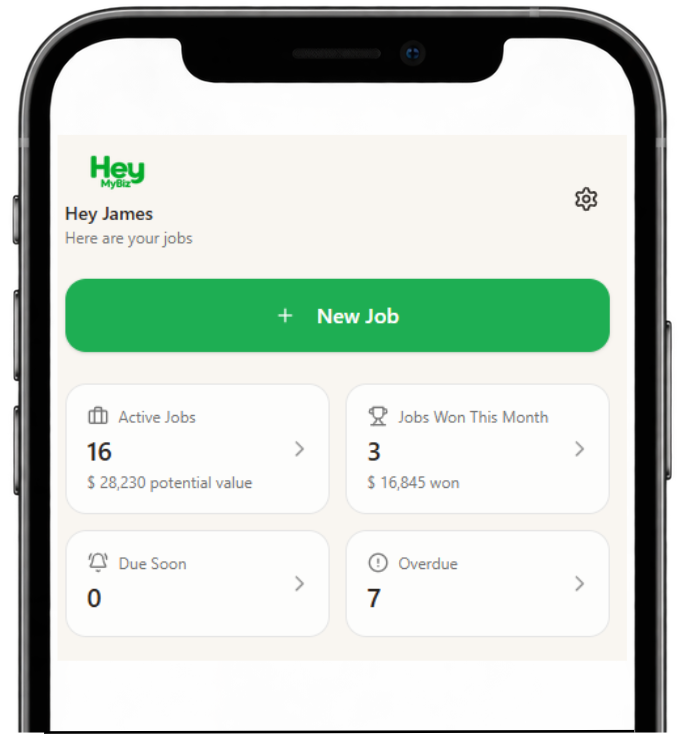
Your HeyMyBiz dashboard gives you a quick overview of your business.
Active Jobs — See how many opportunities you're currently working on and their potential value.
Jobs Won This Month — Keep track of the jobs you've secured and how much they're worth.
Due Soon — See which customers need following up within the next 24 hours.
Overdue — Spot follow-ups that need your attention.
Tap any dashboard card to see the relevant jobs.
4. Generate Quotes and Follow-up Messages
Need help writing to a customer? Let HeyMyBiz help.
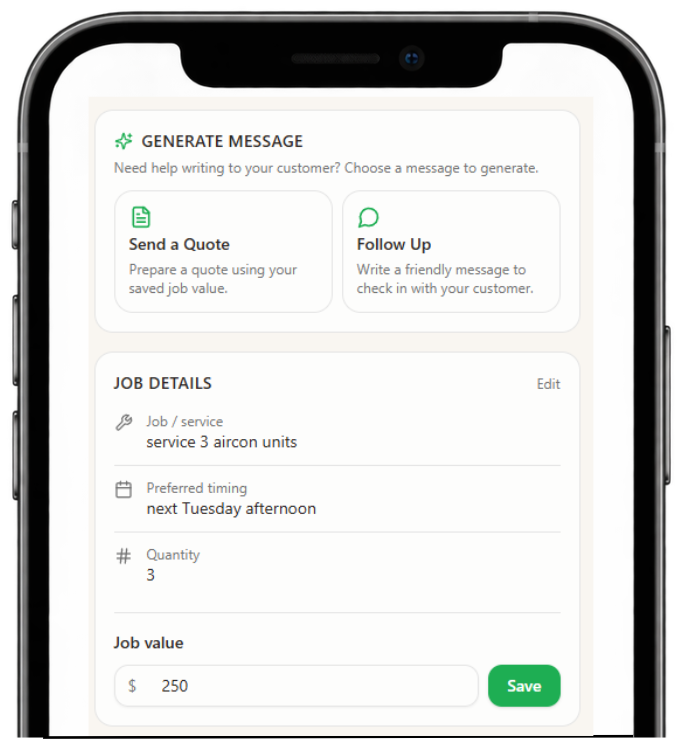
Open a job and find the Generate Message section.
Choose Send a Quote or Follow Up.
For a quote, confirm your job value and choose whether it's a fixed quote or an indicative estimate.
For a follow-up, select what you're following up about.
HeyMyBiz prepares a suggested message that you can review and edit.
Tap Copy Message to copy and save it.
Your saved quote and follow-up messages remain available on the job.
When you're ready to contact the customer, tap the Message Customer button at the top of the job to open your most recently saved message, then tap Open in WhatsApp to send it.
5. Add Follow-ups to Your Calendar
Want your follow-ups to appear alongside your other appointments?
Open a job with a follow-up date and time.
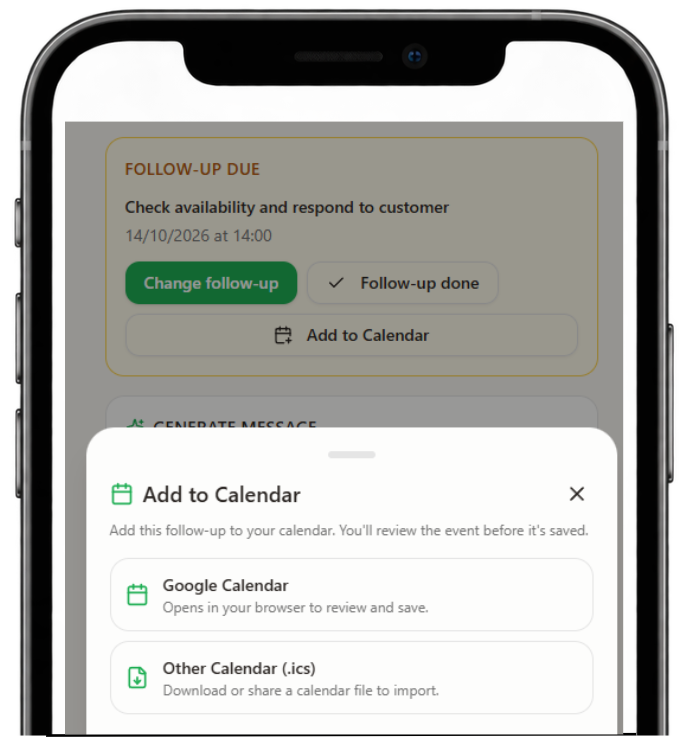
Tap Add to Calendar in the Follow-up section.
Choose Google Calendar or Other Calendar (.ics).
Review the event details and save it to your calendar.
The event includes useful information such as the customer's name, job details, location and phone number.
Remember: If you change a follow-up in HeyMyBiz later, the existing calendar event won't update automatically.
6. Mark Jobs Won or Lost
Keep your job list organised and see how your business is performing.
Open the relevant job.
Change its status to Won when the customer confirms the job.
If the job doesn't go ahead, mark it Lost and optionally record the reason.
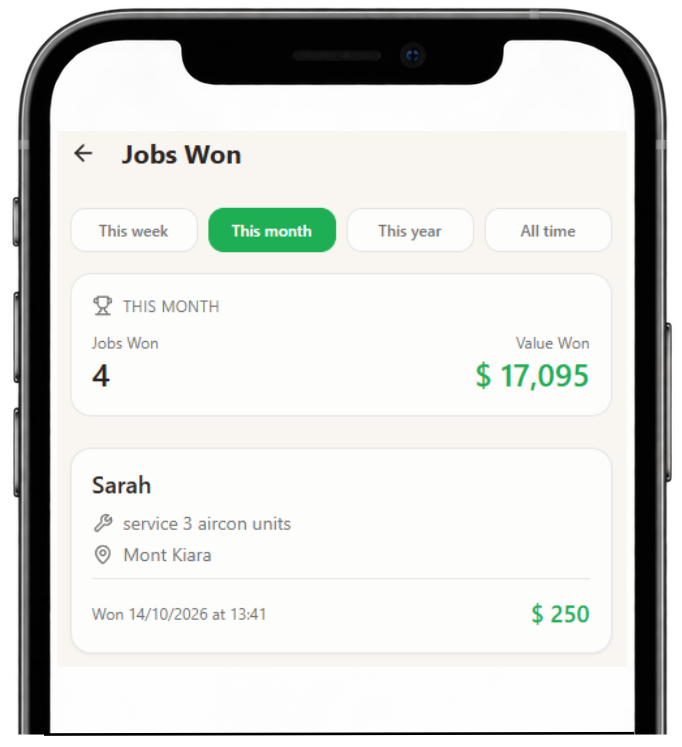
Use the Jobs Won This Month dashboard card to review the value of jobs you've secured.
Open the Won Jobs page to see results for this week, month, year or all time.
You can also archive completed jobs to keep your active job list tidy.
You're Ready to Go!
That's all you need to get started with HeyMyBiz.
Add your enquiries, keep track of your jobs and follow up with confidence.
Track your jobs better. Close more jobs. Make more money.